
Accounts Payable Automation
One workflow from inbox to ledger, with every invoice processed, coded, validated, approved and synced.
Centralised intake
Every supplier invoice enters through one workflow. Forward it to your Pulsify address or upload it.
End-to-end automation
Processing, coding, validation, approval routing and sync handled in sequence.
Controls before posting
Nothing reaches your ledger without approval. Checks flag problems before anyone approves.
How it works
Invoices captured
Centralised intake from your Pulsify forwarding address and uploads into a single queue.
AI processes and codes
Line items interpreted and coded to an account and GST code using supplier history.
Validation checks run
Duplicates, changed bank details, ABN problems and totals that don't add up flagged before approval.
Approval workflows applied
Routed to the right approvers based on supplier, amount, account or job rules.
Synced to Xero or MYOB
Only approved invoices are created in Xero or MYOB. Your accounting file stays clean.
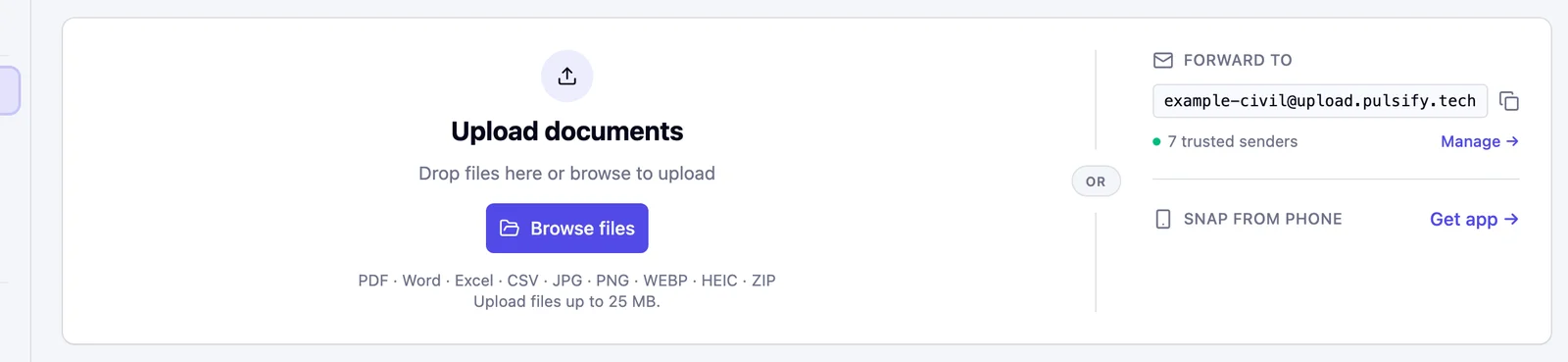
Forward or drop it in
PDF, Word, Excel, CSV and images up to 25 MB.
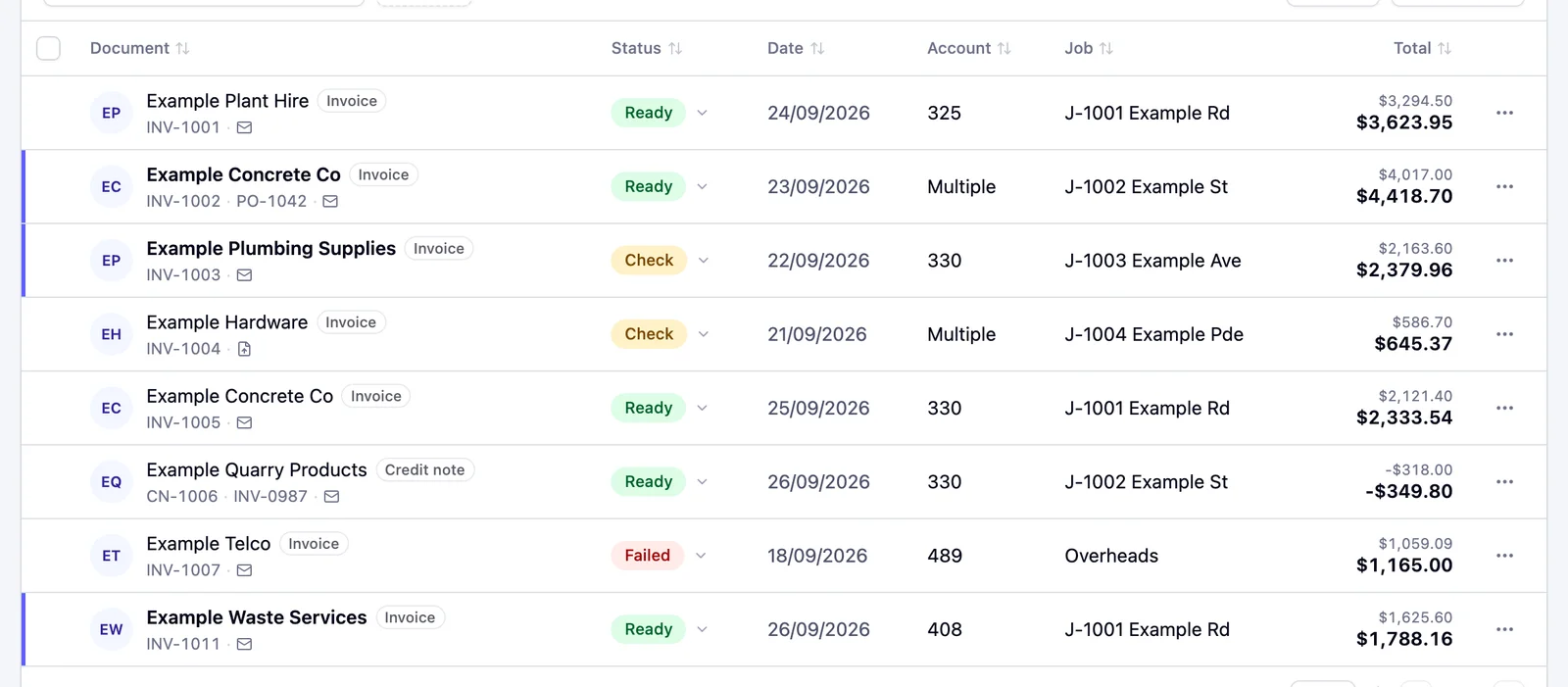
One queue
Each bill shows a status like Ready or Check before anyone approves it. A bill that cannot go to Xero or MYOB yet shows Needs fix.
What's included
Invoice Processing
Capture, interpret and validate invoices automatically.
Line-Item Coding
Every line coded to the right account.
Validation & Exceptions
Errors caught before posting.
Approval Workflows
Bills routed to approvers, with every decision logged.
PO Matching
Invoices checked against orders.
Multi-Entity Workflows
Same checks across every entity.
Fraud Prevention
Changed bank details and duplicate invoices flagged before approval.
Accounting Integrations
Direct sync to Xero or MYOB. No CSV, no re-entry.
What AP automation does
Accounts payable automation is software that handles the full invoice-to-ledger workflow, from receiving a supplier invoice to posting a coded, validated and approved entry in your accounting system. For Australian businesses on Xero or MYOB, it replaces manual data entry and account and GST coding with AI that learns from your coding history. ABN checks run automatically.
The accounting software already handles what most people associate with accounts payable, such as bill creation, supplier records and payment runs. The gap is everything between receiving a supplier invoice and posting it to the ledger, including the coding decisions, the validation checks, the approval routing and the exception handling. That's where most AP labour sits, and that's what automation addresses.
For a 20-person Australian business processing 80 invoices a month, staff time per manually processed invoice typically runs 20 to 30 minutes (data entry, coding, chasing approvals by email, resolving mismatches and occasionally unwinding a duplicate that cleared). The ATO's cost benchmark of AU$27.67 per manually processed invoice translates to AU$2,214 per month in direct processing labour at that volume. Full AP automation doesn't make that number zero, but it routinely reduces it by 60 to 70%. The AP officer moves from processing every invoice to reviewing only the flagged exceptions.
Why Xero and MYOB aren't the full workflow
Both Xero and MYOB handle the ledger side of accounts payable competently. They record bills, apply tax codes, manage supplier contacts and support basic approval routing. What they don't do is sit upstream of their own data entry and validate what's coming in.
Xero's email-to-bills inbox extracts the data and creates a draft bill. The bank detail, duplicate and ABN checks run before that, in Pulsify.
Xero and MYOB are accounting systems. The control layer belongs upstream, between invoice receipt and ledger entry, and it needs to be purpose-built for that function.
What a complete workflow looks like in practice
Invoices arrive at a single intake point. They are emailed to a processing address or uploaded directly. Everything enters the same queue.
Before a human sees the invoice, the controls layer runs. The BSB and account number are compared against the supplier's record in Xero or MYOB. A mismatch is flagged with exactly what changed. The invoice is checked for duplicates on invoice number together with the supplier, date or ABN, including bills already in Xero or MYOB. The ABN is verified against the ATO's ABR. If a purchase order exists, invoice lines are matched against it at line level.
Account coding happens at the line level, based on that supplier's coding history. The same freight supplier gets coded to the same accounts consistently, because the system has learned the pattern from its recent invoices. GST is applied per line, which matters for mixed invoices where not every line carries the same treatment.
By the time the invoice reaches an approver, it's been through all of that. The approver sees any flags on bank details, ABN or duplicates beside line-level coding that reflects prior practice. After approval, the bill is created in Xero or MYOB with its account and tax codes. Xero bills can be Draft, Awaiting Approval, Approved or Paid. MYOB bills are Open or Paid. No re-entry.
Why the middle step matters
The majority of Australian businesses that have implemented invoice automation have the first and last steps, capture and ledger sync, but not the middle. OCR tools extract data from invoices and push them to Xero with account code suggestions. That's real productivity savings. A controls layer is a separate step between the two.
The controls layer is what prevents the losses. A duplicate invoice that was paid and not recovered looks like a supplier payment in the accounts until someone notices and queries it. A bank detail fraud that succeeded looks like a regular EFT transaction until the real supplier chases the missed payment. Neither of these shows up in the processing-time calculation.
The businesses that get hit by payment redirection fraud, which cost Australian businesses AU$166.8 million in 2025 according to the ACCC, often have OCR running. They've automated the data entry. They haven't automated the check that would have caught the changed bank account number before the payment was approved. Full AP automation is a different process from the current one. The controls that used to depend on individual attention run automatically on every invoice, every time.
Weighing up vendors? We've compared the best accounts payable automation software in Australia for 2026, including where Pulsify fits and where another tool might suit you better.
Frequently asked questions
Yes. Pulsify runs the AP workflow from intake to Xero or MYOB. Processing, coding, validation, approval routing and sync all happen in one place.
Most of them. Checks run on every invoice and flag the exceptions. Your team reviews the flags and approves.
Yes. Every invoice runs through the same checks and approval rules, whatever your volume.
No. Pulsify never moves money. It creates the approved bill in Xero or MYOB and you pay it from there. If you pick Paid, Pulsify records that payment on the bill.
Related articles
Accounts Payable Outsourcing in Australia: What It Costs and What Stays With You
Accounts payable outsourcing in Australia costs about $500 to $1,500 a month at 100 invoices. What a provider covers and what stays with you.
AP Automation: The Australian Business GuideHow to Get Bookkeeping Clients in Australia
How to get bookkeeping clients in Australia: pick a niche, build accountant referrals, get found by suburb and offer AP as a service to bigger clients.
AP Automation: The Australian Business GuideBookkeeper vs Accountant: What's the Difference and Which Do You Need?
Bookkeepers handle day-to-day records and compliance; accountants handle tax, structure and advice. Here is how the roles differ and which one your business needs.