
Invoice Validation & Exception Review
Errors caught before posting.
Catches discrepancies early
Totals, tax codes, PO lines and price-list prices are checked before approval.
Errors and warnings
Serious problems count as errors. Minor ones are warnings that never change the invoice's status.
Holds what Xero or MYOB would refuse
An invoice missing a supplier, date or account can't be approved until it's added.
How it works
Automated validation
Every invoice is checked for missing fields, ABN problems and PO differences. The invoice editor also shows when the lines don't add up to the total.
Problems shown in place
Each problem shows under the field it affects or as a banner. Bank detail differences show the value on file.
Needs fix is held
Invoices marked Needs fix can't be approved until they're fixed. The invoice editor also holds approval until the lines add up to the total. Everything else is your call.
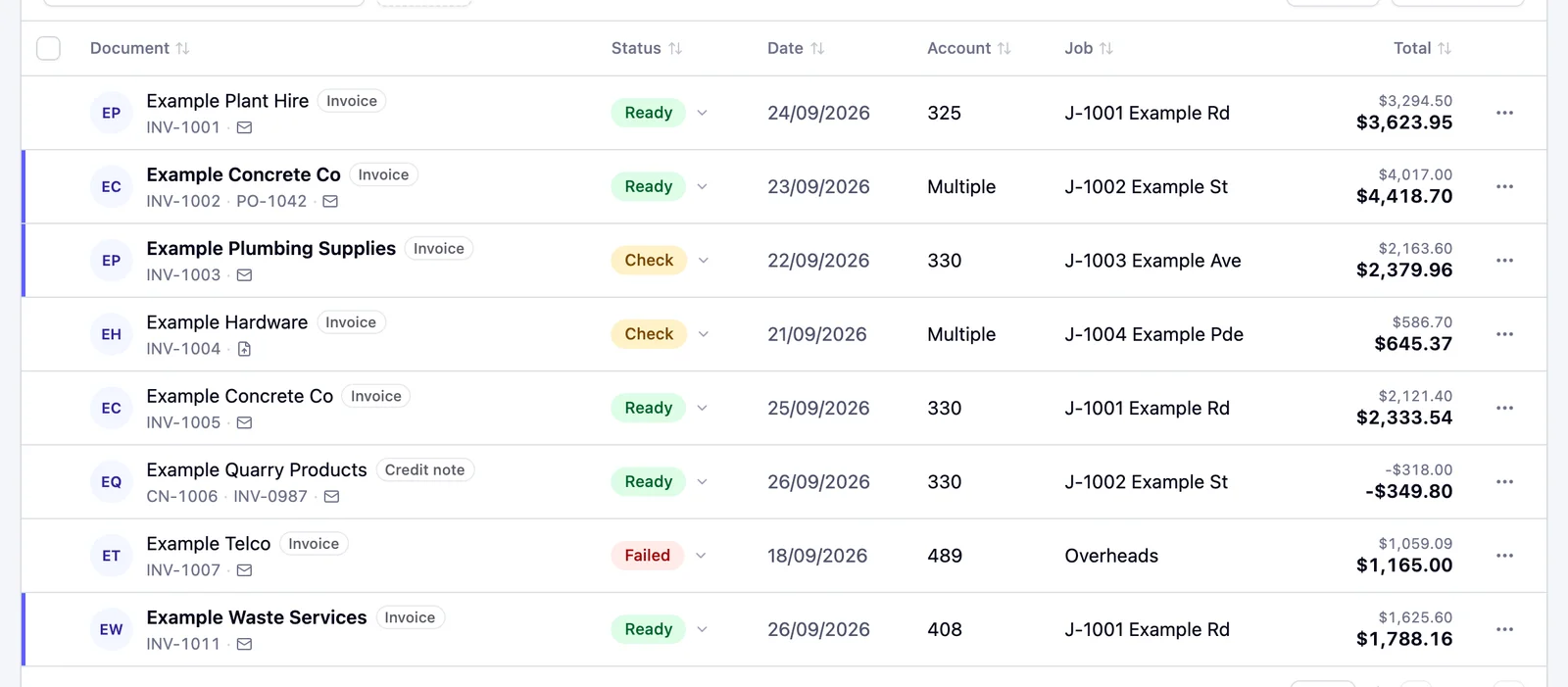
One status per invoice
Each invoice in the queue shows Ready, Check, Needs fix or a marker like Failed.
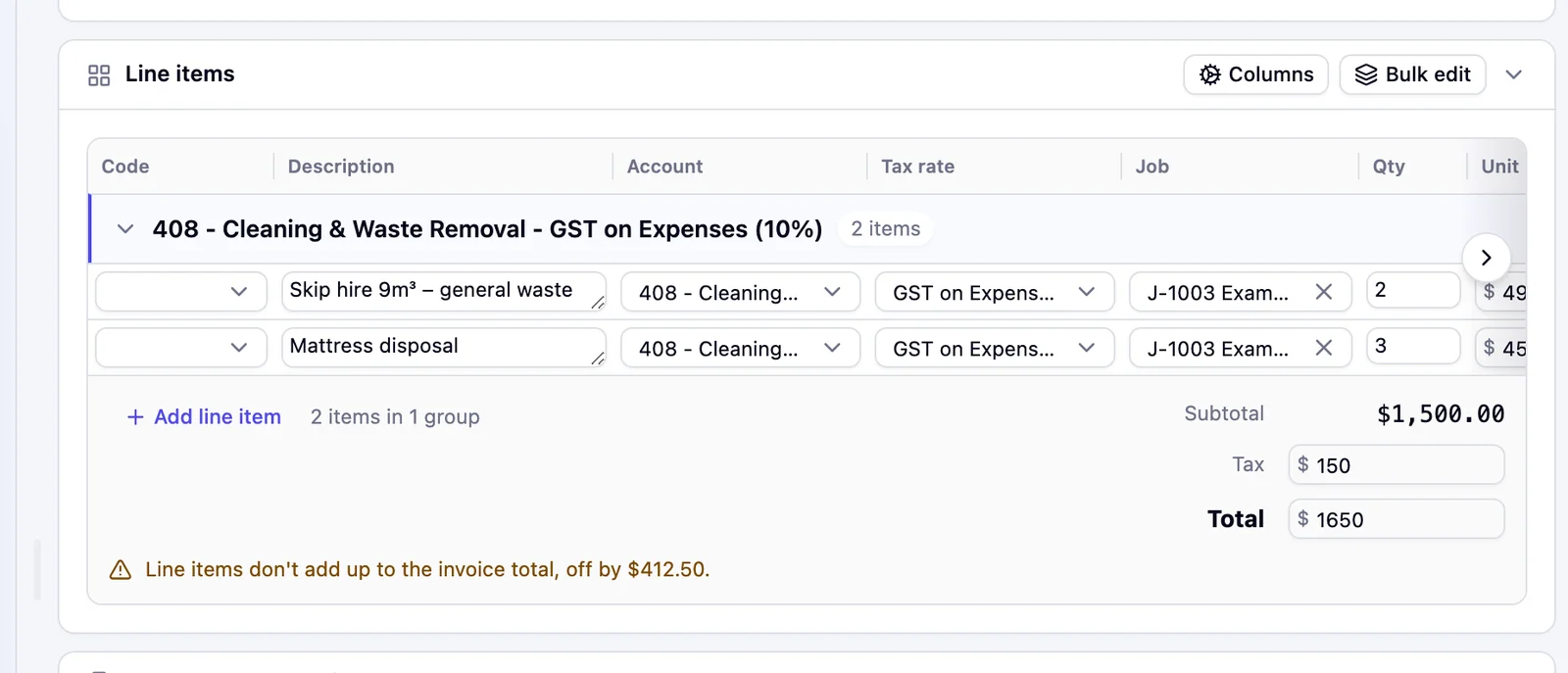
Totals that don't add up
When the line items don't add up to the invoice total, Pulsify shows the gap. The invoice editor holds approval until they match.
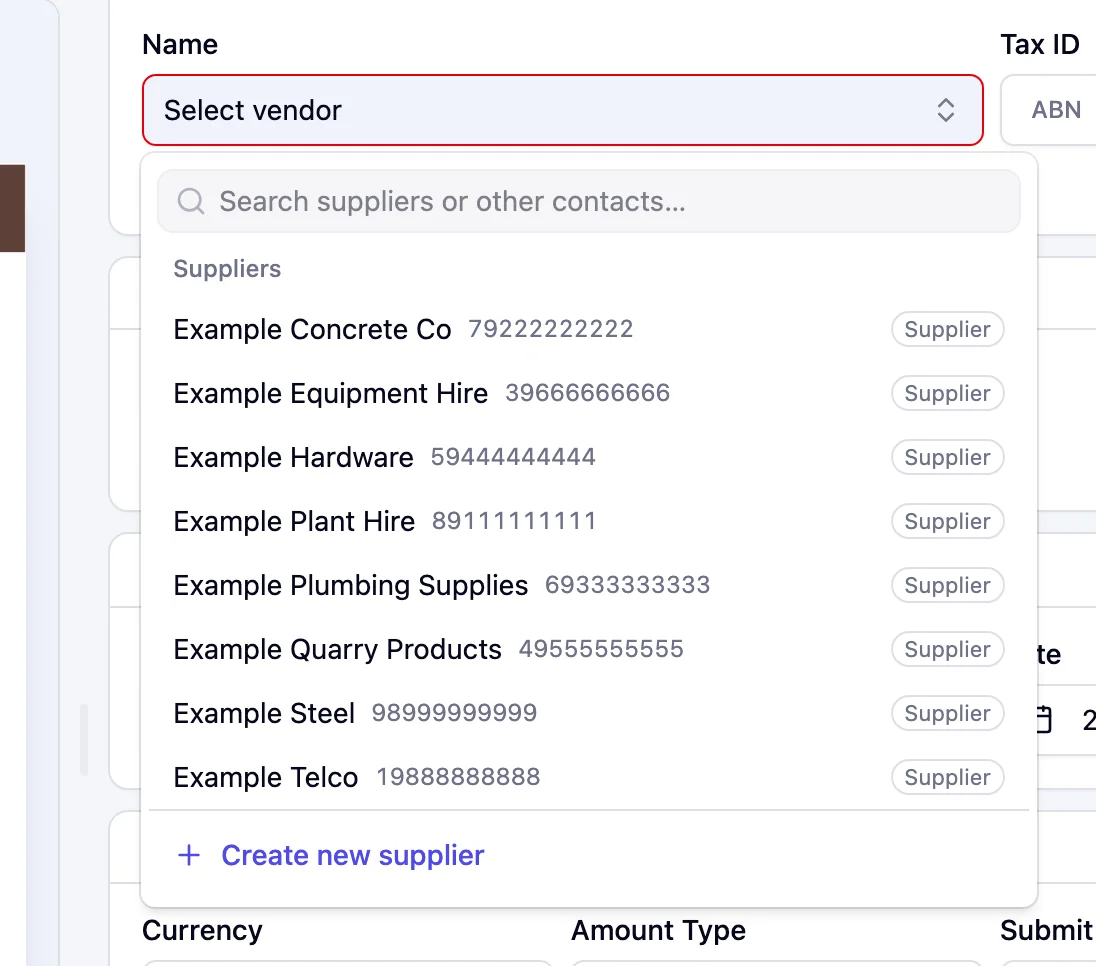
Supplier not in Xero or MYOB
Pick the right contact or create the supplier in Xero or MYOB without leaving the invoice.
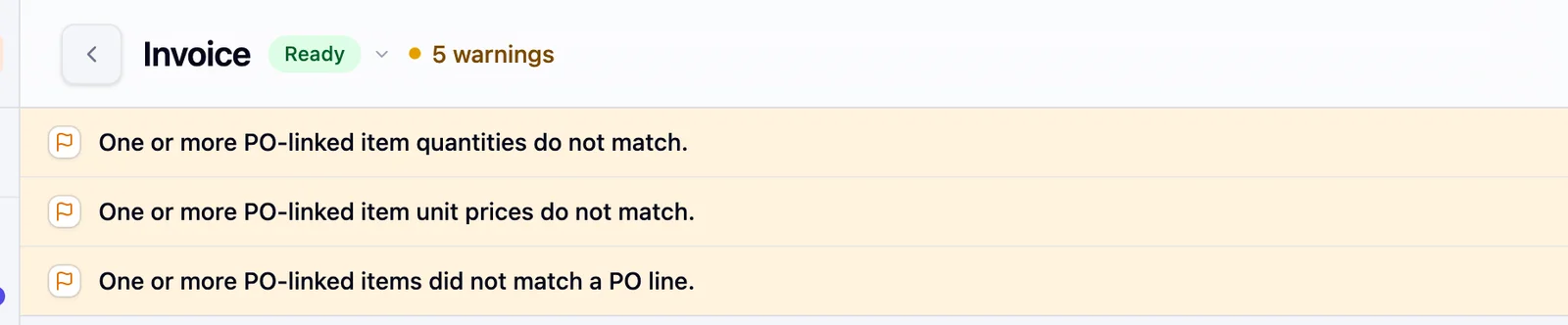
Lines checked against the PO
Each line is compared with the linked purchase order. Quantities over the PO and price differences are flagged.
Built for real-world exceptions
What the validation layer checks and when it runs
Validation is the step that sits between invoice intake and the approval queue. Its job is to answer the questions an approver shouldn't need to answer. Do the lines add up to the total? Has this invoice number been seen before? Do the bank details match the supplier's record in Xero or MYOB?
Running these checks before a human sees the invoice means approvers are reviewing validated invoices. Validation is a structured, repeatable check, the kind that a system does reliably every time. Approval is a judgement call about whether the expenditure is authorised, the kind that requires a person. Mixing the two functions means approvers are doing some of both, inconsistently, under time pressure.
What a well-designed exception looks like
An exception that says "review required" is not useful. It tells the reviewer nothing about what triggered the hold, what information they need to resolve it or who should be involved in the resolution. An exception that says "Account number differs from Example Plumbing Supplies's details in your accounting system (1111 1111)" is actionable immediately.
The difference between these two designs is the difference between an exception queue that gets worked through and an exception queue that accumulates until someone approves everything in it to clear the backlog. If exceptions are vague, the path of least resistance is to approve and move on. If exceptions are specific, the reviewer knows exactly what to do and can do it in minutes.
Ownership matters for the same reason. Agree up front who calls a supplier about changed bank details and who confirms a PO difference. A changed bank detail needs someone with authority to verify it, such as the CFO or financial controller. A PO difference needs the person who raised the PO, because they're the one who can confirm whether the variance is legitimate.
Why month-end correction is the wrong metric
Errors caught before approval are fixed on the invoice. Errors discovered at month-end, after the invoice has been approved and posted, require journal entries, credit notes, supplier queries and explanations to whoever is reviewing the accounts. Businesses that measure their AP process by how smoothly approvals flow are measuring the wrong thing. The relevant measure is how many corrections happen downstream and whether those corrections could have been eliminated with better upstream checks.
Frequently asked questions
Every check that applies runs on every invoice. Minor ones are warnings that don't change the invoice's status, and PO warnings can be turned off for a company.
The invoice is flagged and the specific issue is highlighted on the field or line it affects.
The checks are fixed. You can turn PO checks off for a company in Settings, General.
Related features
Invoice Processing Automation
Capture and structure invoices before validation.
Approval Workflows
Route invoices to the right approvers.
PO Matching
Catch mismatches against purchase orders.
Fraud Prevention
Bank detail changes flagged before approval.
Accounting Integrations
Approved invoices post straight to Xero or MYOB.
Related articles
How South African Businesses Stop Invoice Fraud Before the EFT Run
Invoice fraud prevention software for South African businesses: who is liable, why manual bank-detail checks fail at volume, and how to control it in Xero.
Financial Control & GovernanceInvoice Fraud Detection Software for Australian Businesses in 2026
Comparison of invoice fraud detection and prevention software for Australian businesses in 2026, covering Pulsify, Eftsure, ApprovalMax, and native controls.
Financial Control & GovernanceSMB Accounting in Australia: Why 20-Person Businesses Have the Highest Per-Invoice Fraud Exposure
Australian SMBs carry the highest per-invoice fraud risk - large enough for volume, too small for dedicated AP controls. Here's how to close the gap.