
Multi-Entity AP Automation
One AP team working across every company in your group.
One login, every company
Switch between companies from one Pulsify login.
Entity-level accuracy
Coding, validation and approvals respect each entity's own accounts, suppliers and approval workflows.
One dashboard
See how many documents wait on you in each company from the All Companies page.
How it works
Invoices arrive per company
Each company has its own forwarding address and its own queue.
Wrong company flagged
Pulsify flags an invoice when the customer on it doesn't match the company it landed in.
Entity-specific rules applied
Coding, approval thresholds and sync targets are applied per entity.
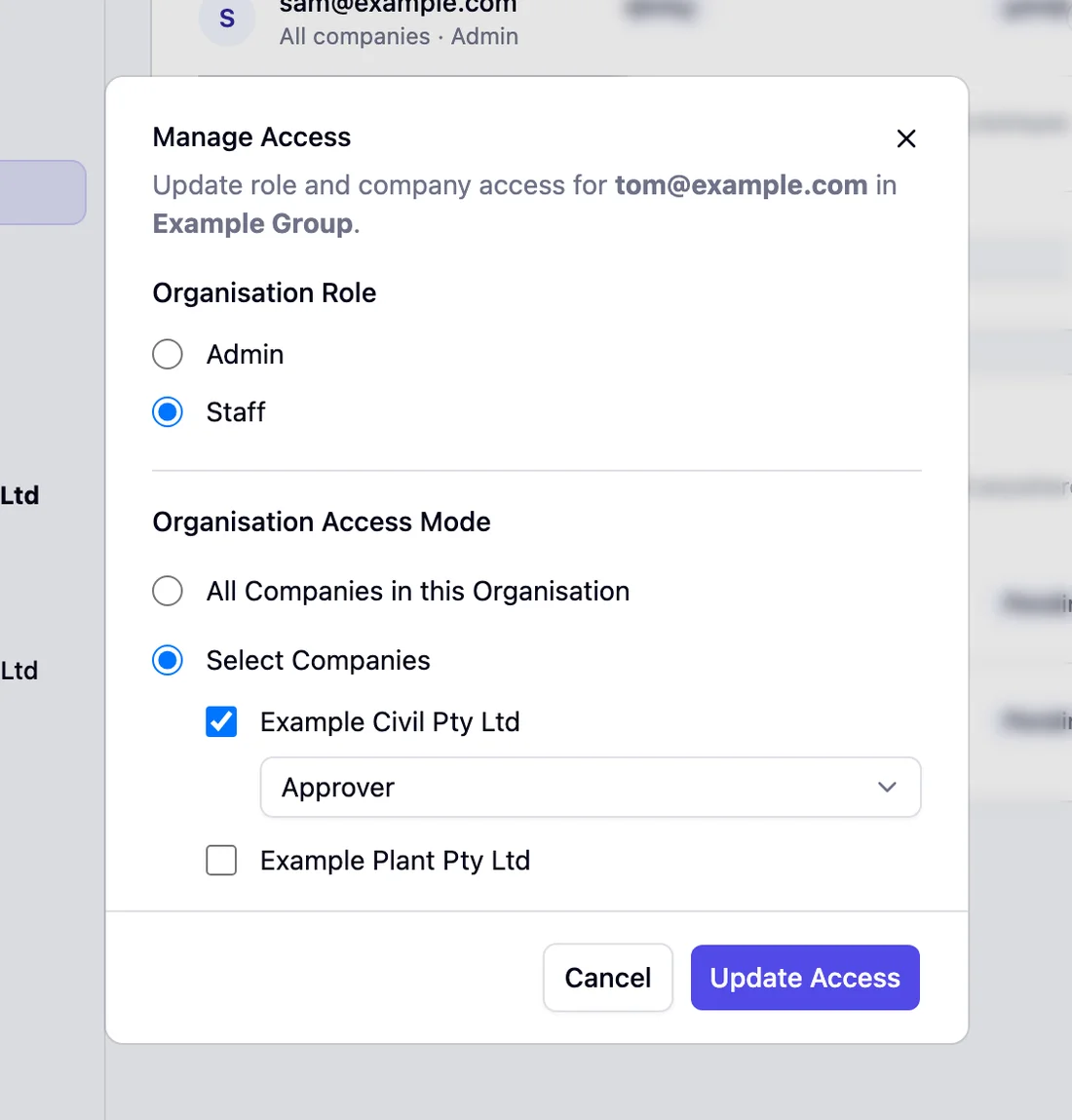
Access set per entity
Each person gets the entities they need and a role in each one.
Built for real multi-entity complexity
Where entity-specific approval diverges from single-entity setup
A construction group running three entities (an operating company, a plant and equipment trust and a property holding company) doesn't have the same AP requirements across all three. The operating company processes subcontractor invoices averaging AU$45,000 with project-level cost centre coding and multi-step approval chains involving site managers and the CFO. The trust processes equipment lease invoices monthly at fixed amounts with single-step approval. The holding company processes management fees quarterly with director-level sign-off required on everything.
Applying a single approval workflow across all three creates problems in both directions. It's either too restrictive for the holding company's routine quarterly invoices or too permissive for the operating company's high-value subcontractor payments. In Pulsify each entity has its own approval rules, and one AP team works across all three from one login.
Preventing mis-posting as groups grow
The most common multi-entity AP failure is an invoice posted to the wrong entity entirely. A subcontractor invoice for site works at the Ballarat project gets posted to the Sydney entity's Xero file because the AP officer had the wrong file open. At month-end, the Ballarat project's cost report is understated and the Sydney entity's is overstated. Unwinding it requires a credit note in one file and a manual entry in the other. For groups adding entities through acquisition, joint ventures or new project structures, the risk of mis-posting grows with complexity. Pulsify flags an invoice when the customer on it doesn't match the entity it sits in, and the warning sits on the invoice for the AP officer to check.
Frequently asked questions
No. Each entity keeps its own documents, suppliers and approval workflows in Pulsify.
Yes. Each entity has its own approval workflows. With multi-step approvals, rules match on supplier, amount, account or job.
Yes. An organisation Admin adds an entity by connecting its Xero or MYOB file. Existing entities are not affected.
Yes. Each entity gets its own forwarding address.
No. Supplier matching and duplicate checks run inside each entity, against its own suppliers and bills.
Related features
Approval Workflows
Configure approval rules for each entity.
AP Automation Overview
See the full workflow each entity runs.
Accounting Integrations
Each entity connects to a Xero organisation or a MYOB company file.
Fraud Prevention
Bank detail validation applied consistently across entities.
Automated Line-Item Coding
Per-entity coding against each entity's own accounts and suppliers.
Related articles
Accounts Payable Outsourcing in Australia: What It Costs and What Stays With You
Accounts payable outsourcing in Australia costs about $500 to $1,500 a month at 100 invoices. What a provider covers and what stays with you.
AP Automation: The Australian Business GuideHow to Get Bookkeeping Clients in Australia
How to get bookkeeping clients in Australia: pick a niche, build accountant referrals, get found by suburb and offer AP as a service to bigger clients.
AP Automation: The Australian Business GuideBookkeeper vs Accountant: What's the Difference and Which Do You Need?
Bookkeepers handle day-to-day records and compliance; accountants handle tax, structure and advice. Here is how the roles differ and which one your business needs.