
Before you start
Your purchase orders need to be in Xero or MYOB. Pulsify brings them across when it syncs. You can also create POs in Pulsify if you use Xero.
1 Link the PO
When an invoice quotes a PO number that's in your accounting software, Pulsify links it for you. To link one by hand, open the PO # field on the invoice. POs for the invoice's supplier are listed first, under This supplier.
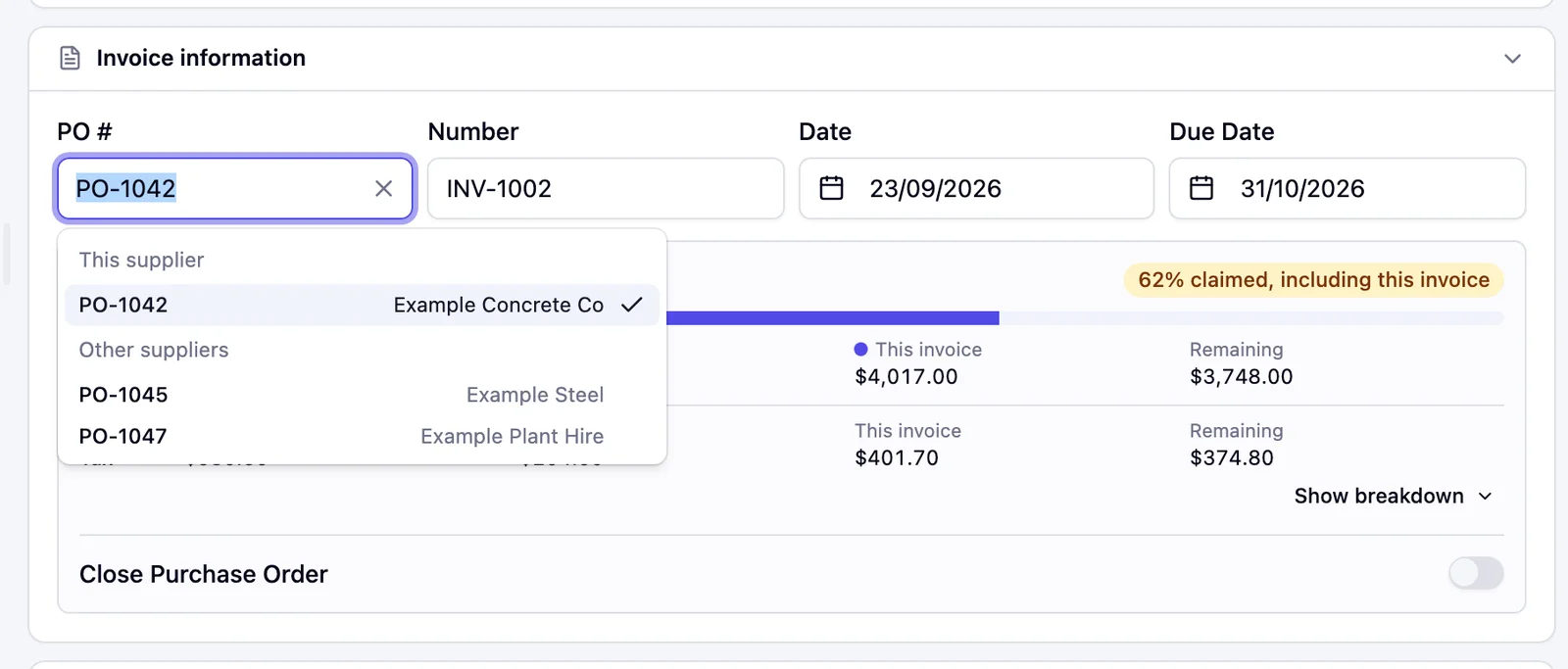
2 Check how much of the PO is billed
The PO panel shows what the PO was for, what earlier invoices have Claimed, This invoice and what's Remaining. If the invoice takes the subtotal past the PO, Remaining turns to Over in red.
If this is the last invoice against the PO, turn on Close Purchase Order. Pulsify closes the PO in Xero or MYOB when this invoice is sent.
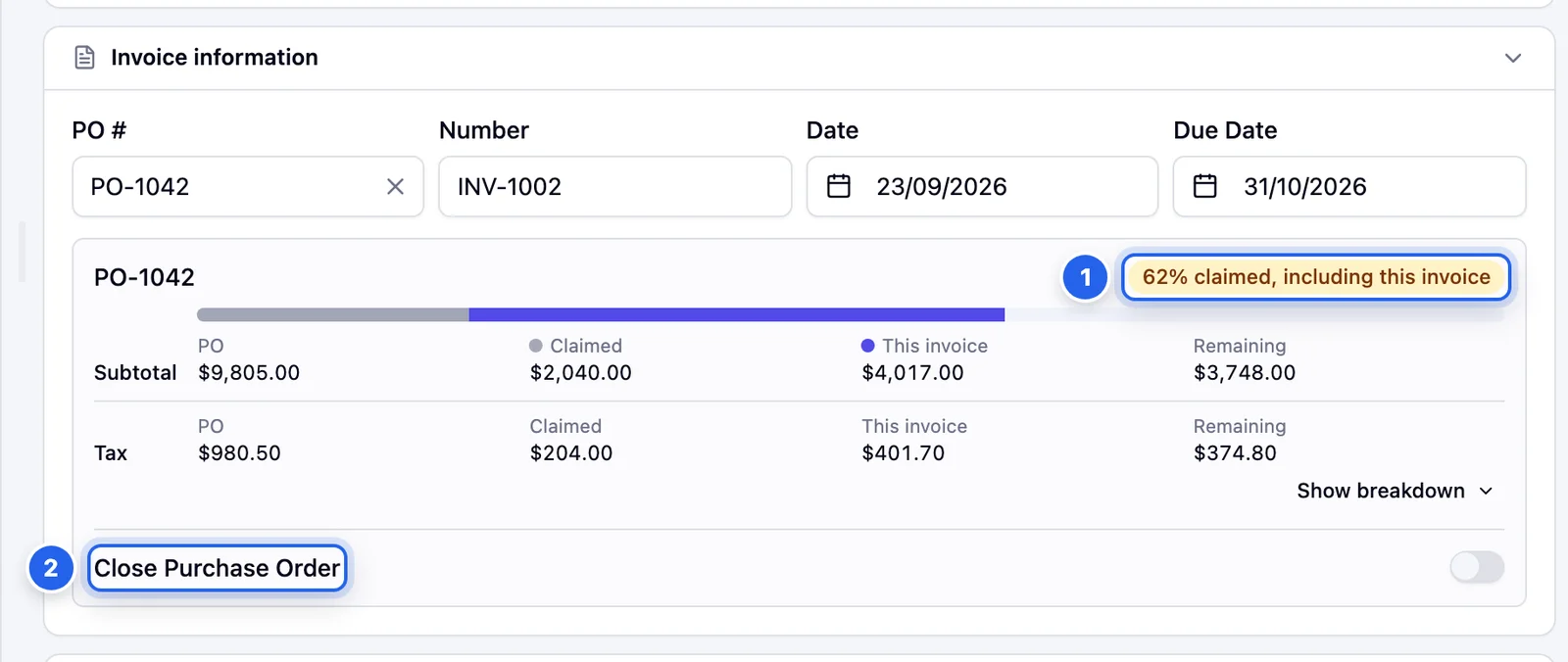
- 1 How much of the PO has been billed, including this invoice.
- 2 Close Purchase Order closes the PO in your accounting software when this invoice is sent.
3 Review the line checks
Pulsify matches each invoice line to a line on the PO and flags any difference:
- Not on the purchase order. Nothing on the PO covers this line. Check it was ordered. If it's on the PO, pick its line in the PO line column.
- Exceeds PO by a quantity or amount. More has been billed than the PO line ordered, counting earlier approved invoices. Check what was delivered. A line billed for fewer units than ordered isn't flagged.
- PO price is $X each. The price is different from the one on the PO.
- Description can't be matched to PO. The item looks like a different product from the one ordered.
Flagged lines are highlighted in amber.
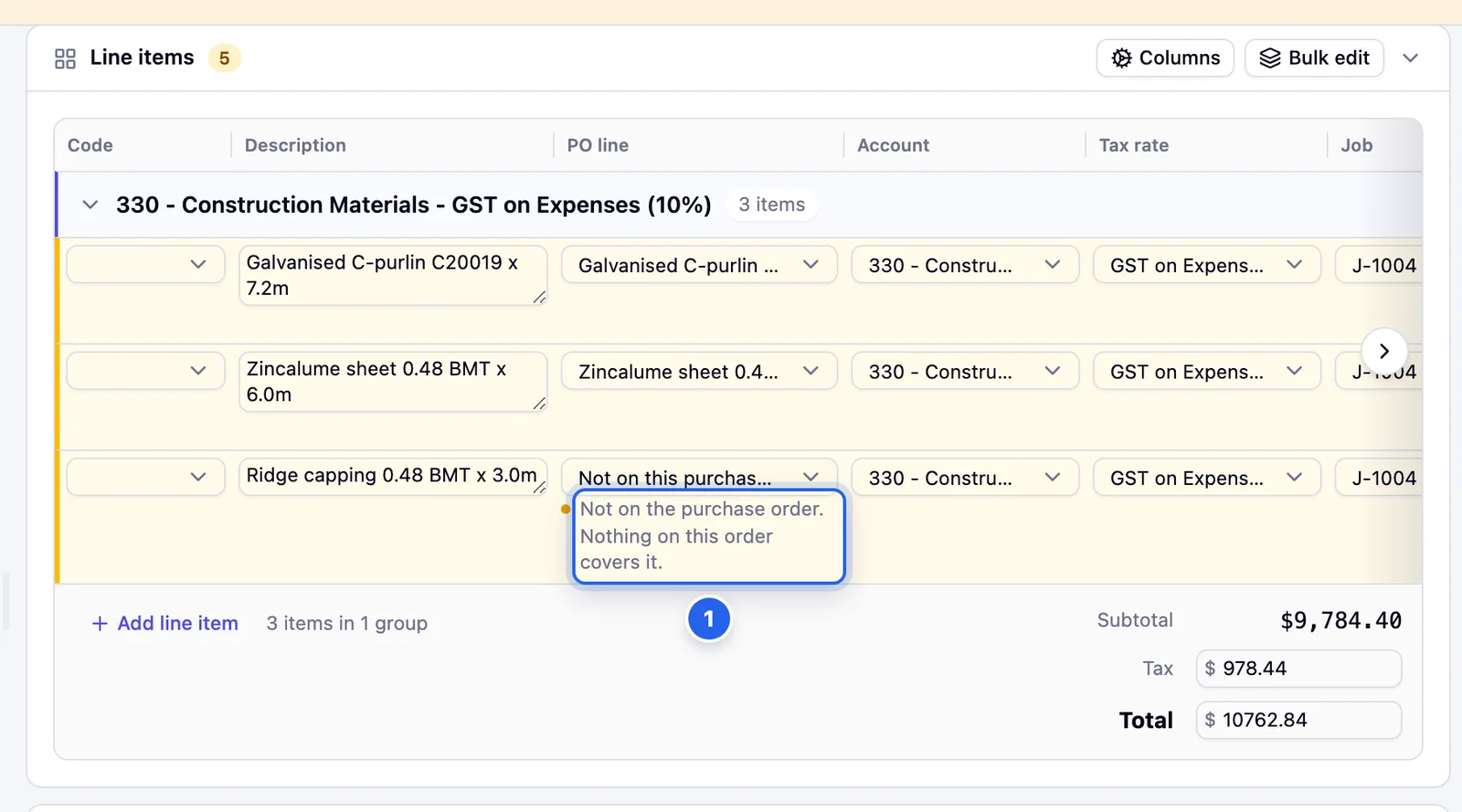
- 1 A line that isn't on the PO.
Warnings on the PO number
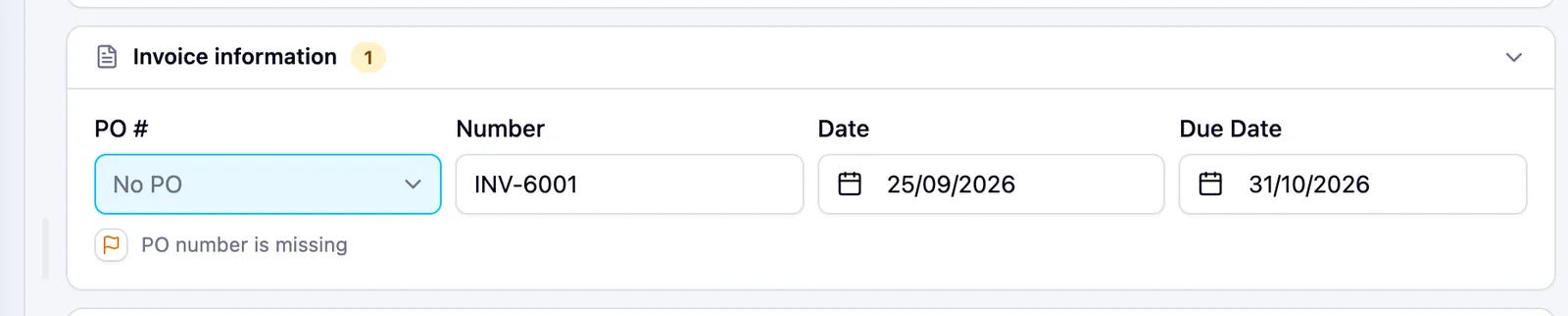
- PO number is missing. No PO is linked and none is printed on the invoice.
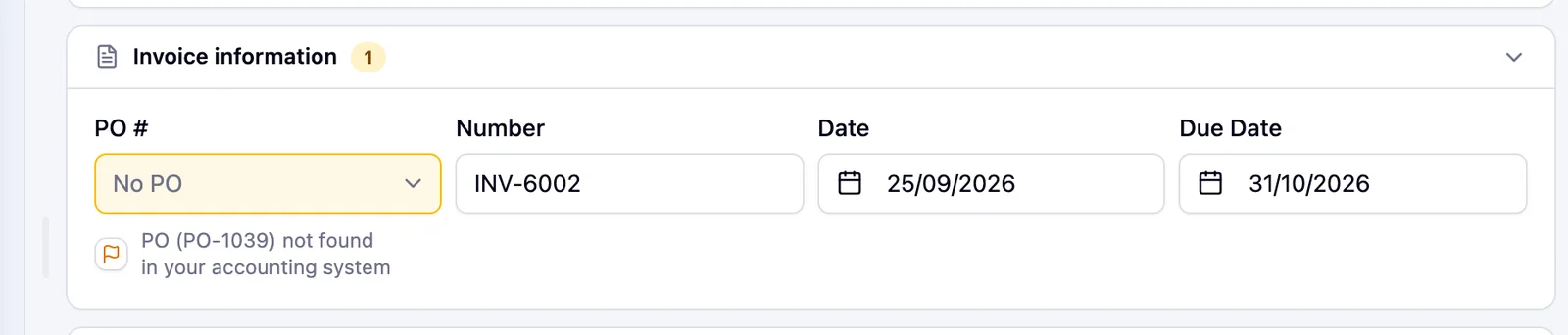
- PO ({number}) not found in your accounting system. The invoice quotes a PO number that isn't in Xero or MYOB. Check it with the person who ordered.
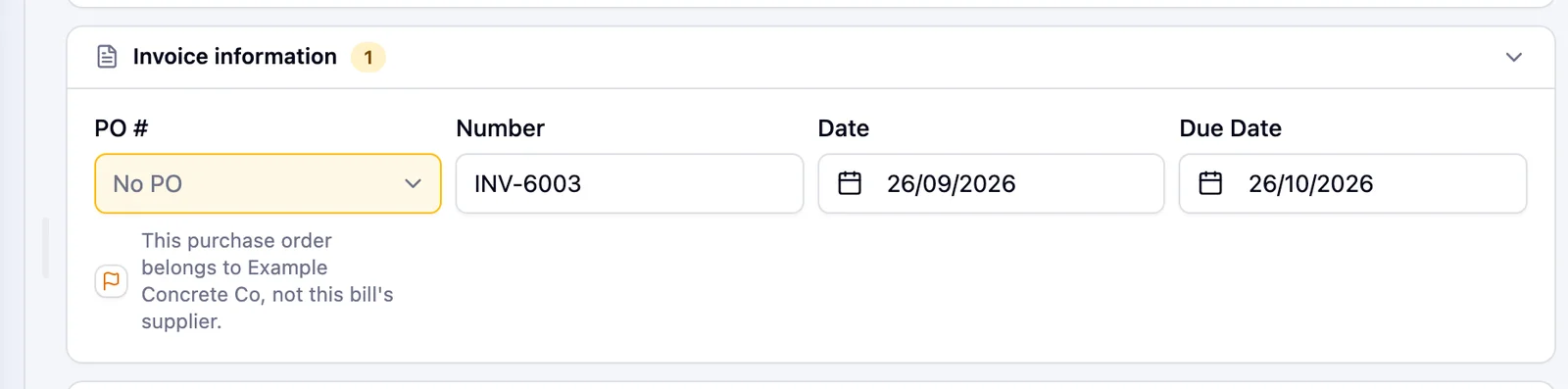
- This purchase order belongs to {supplier}, not this bill's supplier. On MYOB, the PO was raised to a different supplier and MYOB won't accept it on this bill. When Pulsify matched the PO from the invoice itself, the message starts with Matched {number}, but it belongs to. Pick the right PO or the right supplier.
- Matched {number}, but it is closed, so it can't be linked to this bill. The invoice quotes a PO that's closed in Xero or MYOB. Pulsify can't link it. Check whether the PO should be reopened or the supplier quoted the wrong number.
Turning PO checks off
If your company doesn't use POs, an Admin can go to Settings, General and turn off PO checks. While checks are on, an Admin also sees Turn off PO checks… in the ⋯ menu on an invoice. This hides PO warnings for everyone in the company. Your POs, links and progress are kept, and the warnings come back if you turn it on again.
Common questions
Does this work with MYOB?
Yes. Pulsify matches against purchase orders synced from Xero or MYOB. MYOB only lets you link a PO raised to the same supplier.
Do PO warnings stop me approving?
No. They're warnings. The invoice can still be approved once you're happy with it. The one exception is on MYOB: if Close Purchase Order is on and the PO was raised to another supplier, Approve is blocked until you fix it.
We don't use POs for every supplier. Will we get warnings on everything?
PO number is missing is a low-level warning and doesn't change the invoice's status. If your company doesn't use POs at all, turn off PO checks.
Stuck on something?
Book a call and we'll set it up with you.